Let’s discuss on the Implementing Password Policies in SAP CIS with the IAG tenant.
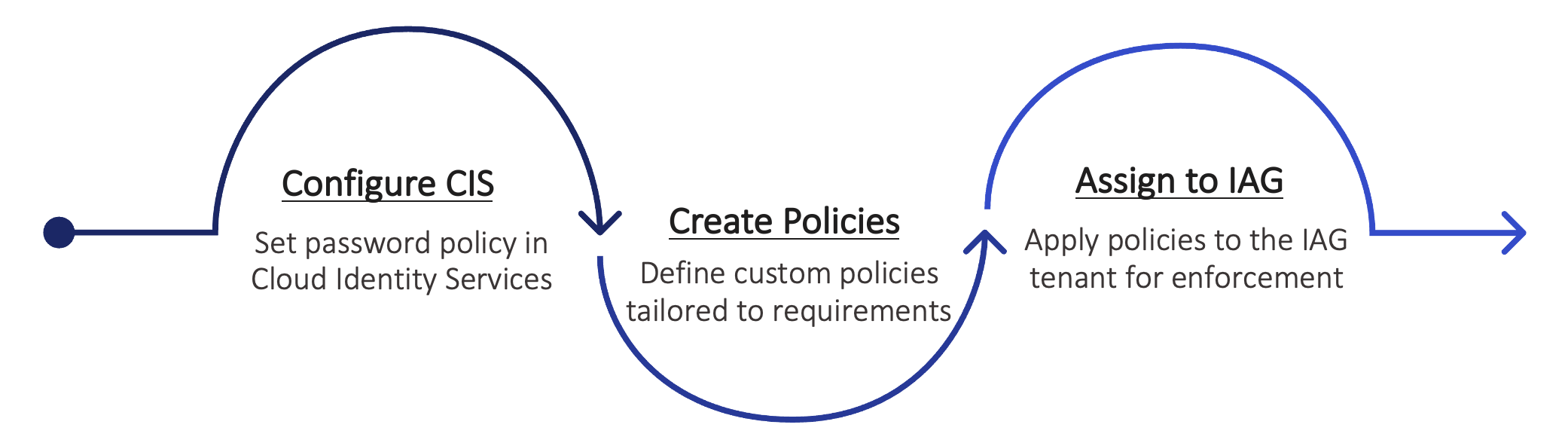
To implement and manage password policies in SAP IAG, administrators need to follow these steps:
1. Configure Password Policy for the Application
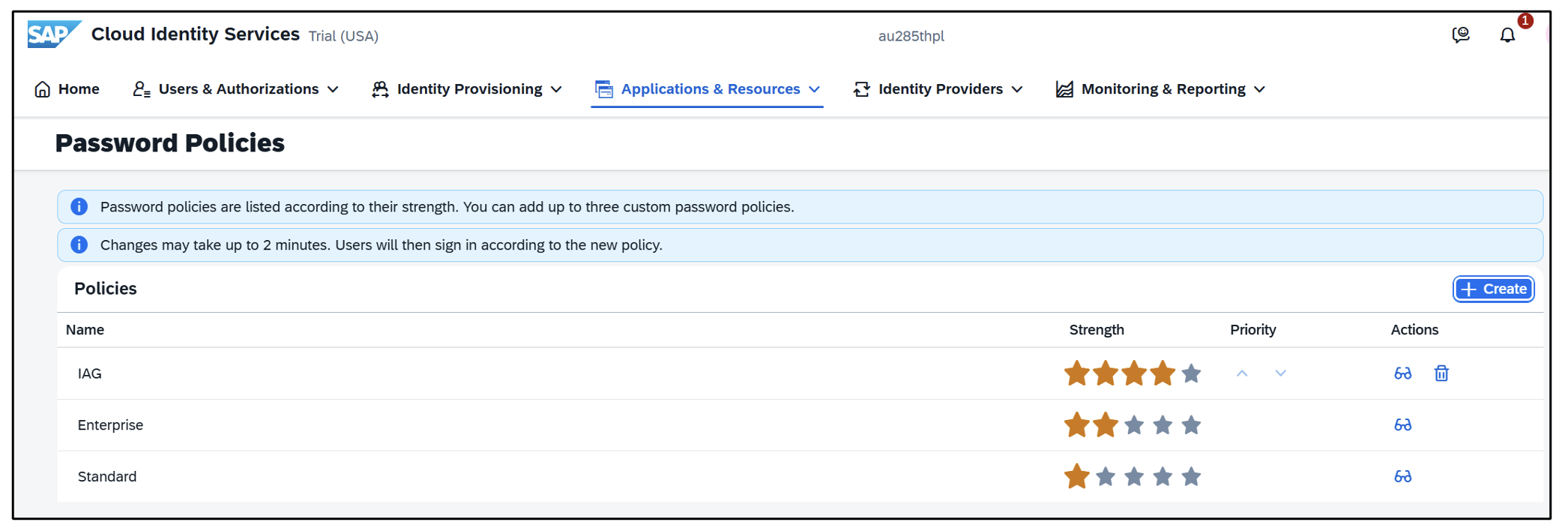
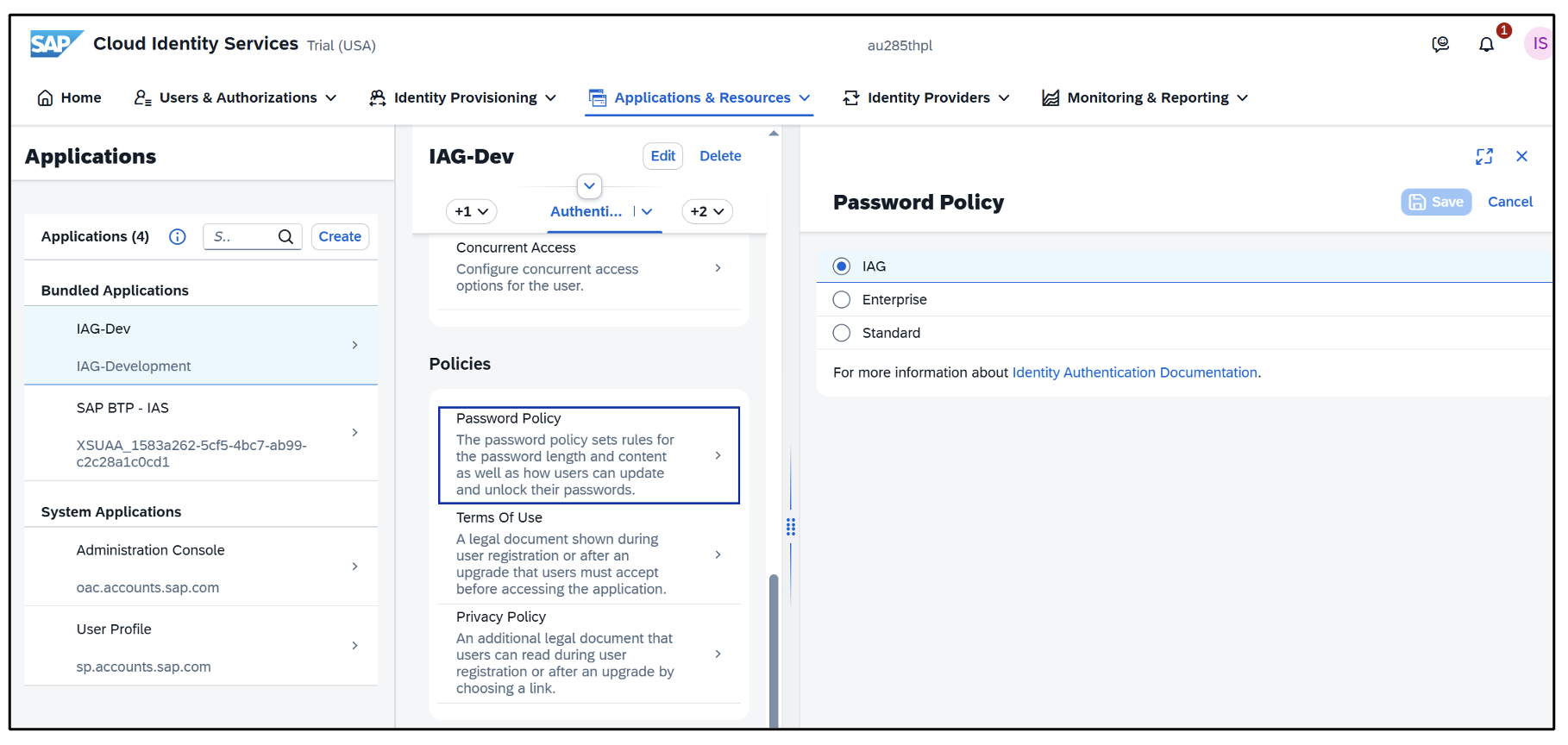
In SAP Cloud Identity Services (CIS), the total number of password policies is five. There are two predefined password policies, i.e. Enterprise and standard, which can’t be changed, and three custom password policies can be configured according to the requirement. The user is authenticated for a IAG tenant after the Identity Authentication checks the application's requirement for password policy then user will apply with the stronger (Strength) policy as mentioned in the below image.
 2. Configure/Create Custom Password Policy
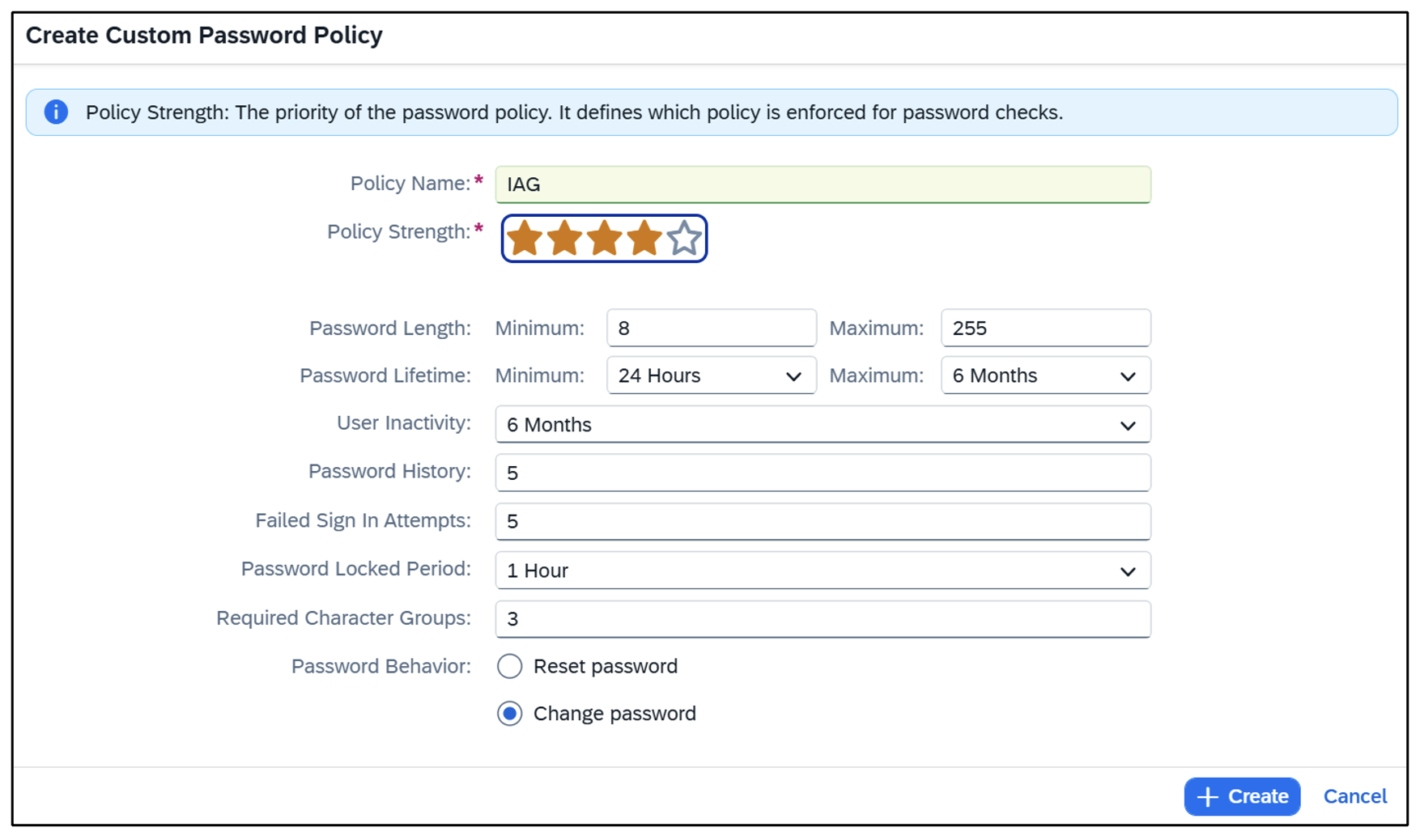
The custom password policy has to be stronger than predefined password policies. It is not possible to have the same strength policies. The image below shows how to create the custom policy as per requirement with predefined fields like Policy Name, Policy Strength, Password Length, Password Lifetime, etc. Once the custom policy is created and saved, can change the priority of the strength as per the requirement mentioned in the above image.
 3. Configure Password Exclude List
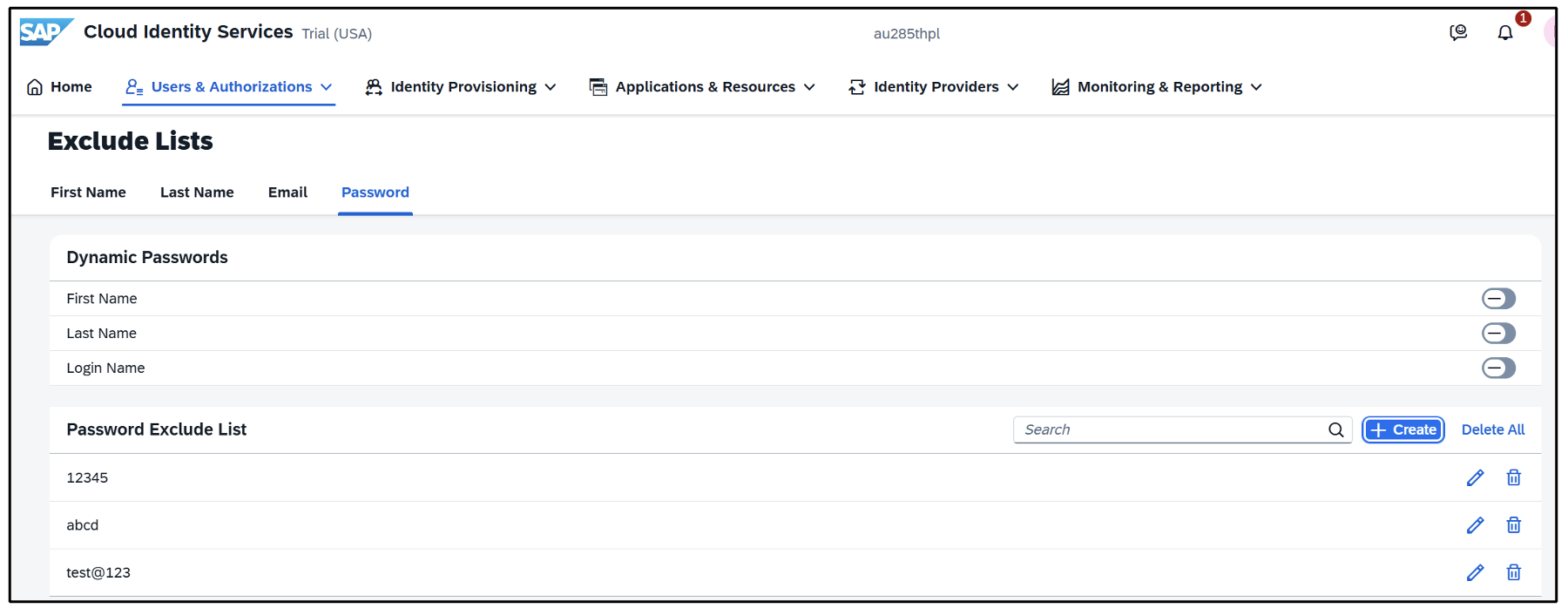
The image below shows the exclude list including the first name, last name, login name, and the passwords entered as free text.
 4. Once the password policy is configured in the Cloud Identity services, the password policy is assigned to the IAG tenant.
 Flow of the Password Policy to configured for SAP IAG tenant:
 Key Components of SAP Password Policies
An administrator can enforce strong password policies that adhere to organizational security needs. These policies are mainly:
- Password Complexity Requirements: The passwords must have at least a mixture of upper and lower-case letters, at least one digit, and at least one special character.
- Minimum and Maximum Length: Set a minimum and maximum number of characters before allowing a user to register, to find the right balance of security and usability.
- Password Expiration: Ensuring password change frequency decreases the chance that any login credentials have been breached.
- Password History: Changing and selecting a new password over a while reduces the risk of security breaches.
- Account Lockout Mechanisms: Implementing account lockout after a certain number of failed login attempts to prevent further attacks on the system.
Conclusion
Password policies in SAP IAG are critical to an organization's overall security strategy. Policies are the best safeguard for companies because they allow to drastically reduce the chance of unauthorized access issues and assure compliance. So, by well-defined policies and continuous user education, an organization can safeguard against exposed SAP settings.
Key Takeaway: Implementing password policy for SAP IAG, combined with regular user education and audits, creates a strong defense against unauthorized access and ensures organizational compliance.